
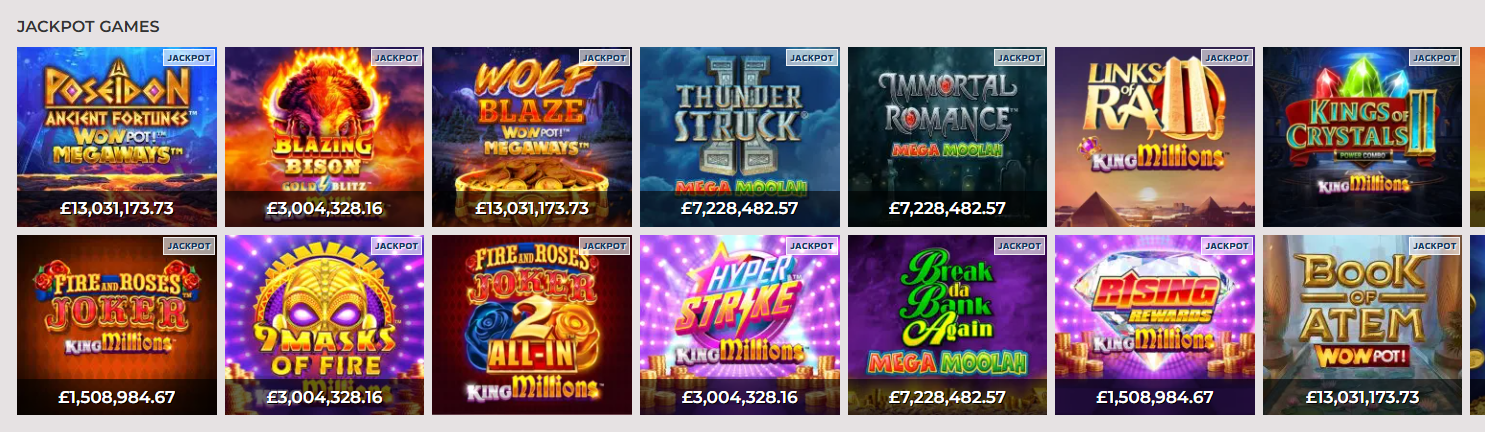
When a gambling website combines casino games, live tables, sports markets, promotions and account tools, the main challenge is often navigation rather than choice. The spinsy casino online experience is designed around a browser-based lobby and a shared account area, so Canadian users can benefit from a clear routine for finding games, checking offers and managing essential settings without installing a native app.
Start with the browser layout instead of a separate app
The Canadian service is built to work through a responsive mobile website on both Android and iOS. That distinction matters because users may expect a downloadable application in the App Store or Google Play. The available mobile experience does not require a native installation; it opens in the phone’s browser and adapts its layout to the screen.
On a smaller display, begin with the main navigation and identify the areas you actually intend to use. The same account can provide access to casino content, live casino, sports betting, live markets, the cashier, promotions, challenges, the rewards shop and VIP information. Keeping these destinations separate in your mind makes it easier to avoid confusing a promotional page with an account-management page.
Android users can create a shortcut through the browser’s “Add to Home screen” option. On iOS, the equivalent route is available through the Share menu. The shortcut opens the same mobile web account and balance, rather than creating a different profile. Before saving it, confirm that the address shown in the browser is correct and avoid creating shortcuts from advertisements or unfamiliar search results.
Use filters to reduce the size of the casino lobby
A catalogue containing several thousand titles is difficult to browse by scrolling alone. The lobby therefore works best when treated as a search tool. Broad sections include Top, New, Popular, Exclusive, Live Games, Instant Games, Slots, Table Games and jackpots. Choosing one of these first can reduce the number of irrelevant results before you begin comparing individual titles.
Search is useful when you already know a game name, while category filters help when you know the type of experience you want. Provider filters offer another route through the catalogue. They can be practical for returning to familiar studios, but they should not be treated as proof that every title from a provider is available at all times. Catalogues and regional availability can change.
Some games support demo play, which can help with learning controls and understanding the pace of a title without immediately committing funds. A short demonstration does not establish expected returns, volatility or the quality of a long session. For a more controlled browsing routine, open a few candidates, note their category and provider, then leave the lobby rather than allowing endless scrolling to determine what you play.
Keep live casino and sports navigation separate
Live casino deserves a different browsing approach from ordinary slots and instant games. Its categories include roulette, blackjack, baccarat and dice, poker, international tables, game shows and the Gold Saloon section. Game-show titles may appear alongside traditional table formats, so check the category label before assuming that two similarly presented tiles offer the same type of play.
Sports navigation follows another structure. The sportsbook includes prematch and live markets across football or soccer, tennis, table tennis, basketball, ice hockey, American football and baseball. Esports listings include games such as League of Legends, Valorant, Dota 2 and Call of Duty. A user looking for one sport should select it first, then distinguish scheduled events from markets that are already in progress.

This separation is also useful for managing attention. Switching repeatedly between casino, live casino and sports tabs can make it harder to remember which balance, promotion or condition applies to a particular activity. Read the market or game label before proceeding, and avoid treating a highlighted tile as a recommendation. The navigation shows what is available; it does not establish whether an option suits your budget or plans.
Check account areas before acting on a promotion
Promotions, bonuses, challenges, Coins, the Shop and VIP status may appear within the same account, but they do not necessarily have identical conditions. Before activating an offer, open its full terms and check the qualifying activity, expiry period, wagering requirement, minimum deposit, eligible games and any restrictions on withdrawals. Current terms should take priority over older descriptions or screenshots.
The Canadian registration flow presents choices such as a casino welcome package, a sports welcome offer, a promo-code option or no welcome bonus. A code should not be assumed to be required for a standard offer, and selecting a promotion can attach conditions to later activity. If the wording is unclear, ask support to explain the offer before accepting it rather than relying on a banner headline.
For account clarity, use the profile and bonus areas as a regular checkpoint. Review active promotions, remaining requirements, transaction information, challenges and available rewards in one sitting. The site’s support service is available through live chat and email for questions about bonuses, KYC, payments or account changes. Canadian users should also consult Canadian online security guidance when protecting passwords, devices and account access.
Make mobile account controls easy to find
Navigation is most valuable when it helps with routine account tasks, not only game discovery. Keep track of where the login, password-recovery, profile, cashier and support controls appear in the mobile layout. If access to the registered email address or phone number is lost, support may request identity checks before making sensitive changes, so use official account channels rather than sending documents through an unverified contact.
Verification can involve identity documents, proof of address, payment information or additional source-of-funds information when required. Withdrawal requests may remain pending until requested information is supplied and accepted. This means the cashier should be treated as part of a wider account process, not as an isolated button. Read the current requirements before submitting a request and keep copies of documents only in secure locations.
Finally, identify support and responsible-gaming controls before you need them. Self-exclusion can be requested through support, while public descriptions of other self-service limits may not be consistent across every Canadian account. Do not assume that deposit, loss or session tools are available unless they are clearly shown in your account. A simple routine—check the profile, review active offers, confirm the cashier status and know how to reach support—makes mobile navigation less stressful.
Questions about mobile navigation
Is a native mobile application required?
No. The service is described as a responsive mobile website for Android and iOS. Users can access the account through a browser and optionally create a home-screen shortcut. That shortcut opens the mobile web version rather than installing a separate application, so browser security and the correct web address remain important.
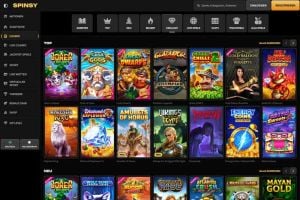
How can I find a particular casino game?
Use the lobby’s search field when you know the title. If you are browsing, select a category such as Slots, Table Games, Instant Games or Live Games, then narrow the results with provider filters where available. Game listings can change, so search results should be checked again if a title is not displayed.
Where should I look for account or promotion details?
Use the profile, bonus and cashier areas rather than relying on a banner in the lobby. These sections are intended for account information, active offers and transactions. Read the current terms before activating anything, and contact support if a requirement, verification request or withdrawal condition is unclear.